
Anthropic Unveils Claude Whiteboards, Sheets, and Claude Data
The short answer
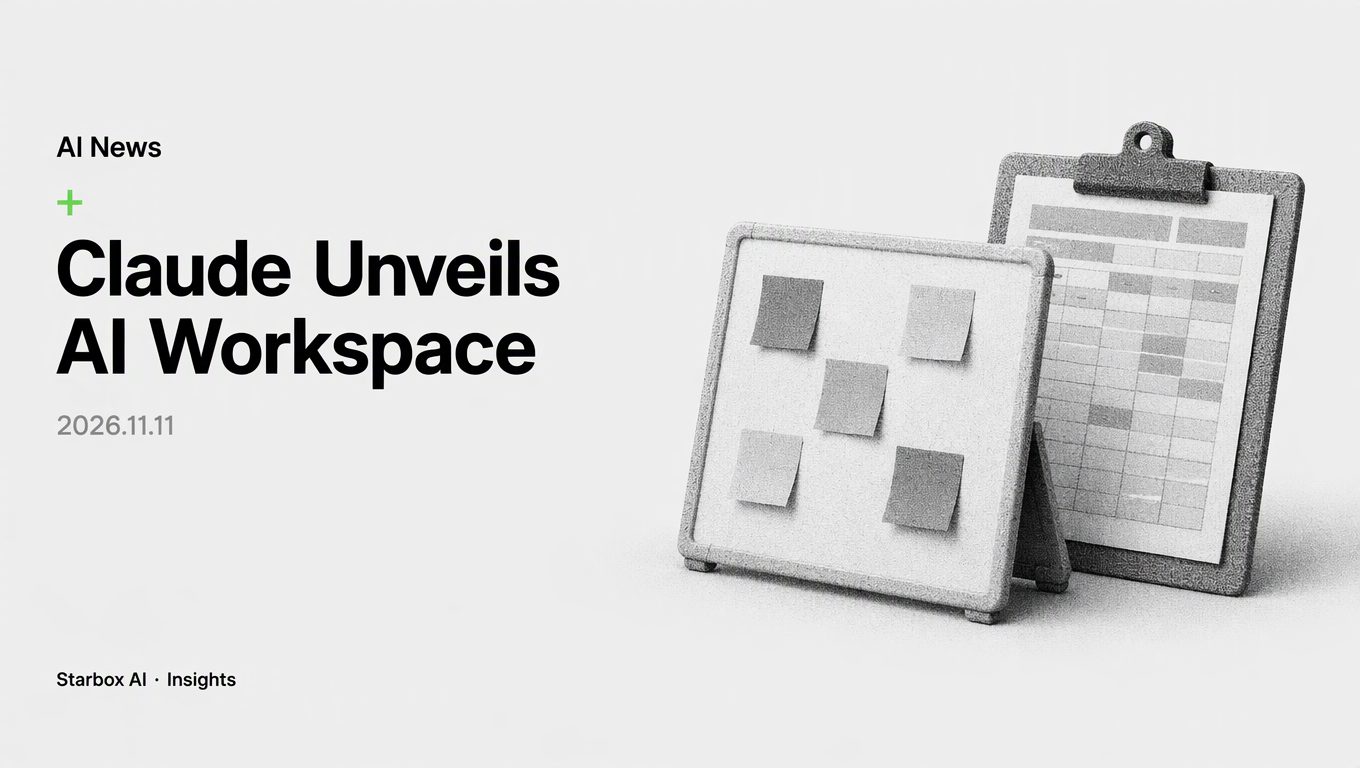
Anthropic has rolled out Whiteboards, Sheets, and Claude Data, turning Claude into an AI-native workspace that reduces data copying across isolated SaaS tools.
The End of Copy-Pasting Across SaaS Silos
For the past two years, enterprise adoption of generative AI has suffered from a persistent operational friction: the copy-paste loop. Teams brainstormed, drafted logic, or analyzed performance inside an AI chat box, only to manually transfer prompts, summaries, and code snippets into legacy spreadsheets, whiteboards, or business intelligence tools. Because the AI had no direct line of sight into subsequent modifications, the reasoning chain broke the moment data exited the chat window.
Anthropic addressed this fragmentation directly on November 10, 2026, by launching Claude Whiteboards and Claude Sheets in beta, while graduating Claude Dashboards to general availability under a broader name: Claude Data.
Available across all paid plans on web, desktop, and mobile, these three surfaces turn Claude from a conversational assistant into an AI-native workspace. Instead of exporting raw output into third-party silos, your documents, boards, spreadsheets, and live metrics remain directly inside Claude, where team members and AI can inspect, edit, and expand them collaboratively.
This release signals a major transition in enterprise computing. Foundation model providers are no longer content serving as backend APIs or standalone chatbots. By embedding live data and interactive canvases directly into the user interface, Claude is targeting the friction that keeps teams toggling between isolated SaaS tools.
+-------------------------------------------------------------------+
|                        Claude Workspace                           |
|                                                                   |
|   +--------------------+  +------------------+  +-------------+   |
|   | Claude Whiteboards |  |  Claude Sheets   |  | Claude Data |   |
|   | (Brainstorming,    |  |  (Tabular logic, |  | (Certified   |   |
|   |  retro boards)     |  |   formulas)      |  |  queries)   |   |
|   +---------+----------+  +--------+---------+  +------+------+   |
|             |                      |                   |          |
+-------------|----------------------|-------------------|----------+
              v                      v                   v
     [Partner Exports]       [Spreadsheets]      [Data Warehouses]
     Miro, Lucid, Zoho       Excel, CSV, Asana   Redshift, BigQuery
Claude Whiteboards and Sheets: Real-Time Thinking Meets In-Cell Execution
Collaborative brainstorming and operational planning have historically demanded dedicated digital canvas software. Claude Whiteboards alters this setup by enabling users to speak through unstructured plans with Claude and immediately convert them into structured project boards.
During project retrospectives, team members can drop their notes onto a shared board. Claude automatically groups those notes by theme and drafts concrete action items assigned to specific owners with explicit due dates. When a team needs to drill down into a specific issue, users can drag a bounding box around any section of the board and query Claude directly about that subset of information.
Once the planning phase concludes, Claude can convert the whiteboard into a structured document or slide presentation, or export the canvas directly into partner products like Lucid, Miro, or Vani by Zoho.
Claude Sheets addresses tabular workflows through dynamic, prompt-driven spreadsheet generation. Rather than manually configuring grid architectures, users can request a campaign tracker or a hiring budget through natural language. Claude generates the spreadsheet complete with:
- Multiple interconnected tabs
- Standard operational formulas
- Structured data formatting
- Interactive cell drop-downs
Crucially, Claude edits directly inside individual cells while outlining each new update in the interface. This visual audit trail allows team members to track exactly what the AI changed across collaborative iterations.
While Anthropic notes that Claude Sheets currently provides baseline spreadsheet capabilities, teams requiring advanced modeling can export files as .xlsx or CSV, run the dedicated Claude for Excel add-in, or push their tables into connected platforms such as Airtable, Asana, monday.com, and Smartsheet.
Claude Data: Certified Queries and Live Dashboards Replace Static BI
The transition of Claude Dashboards into Claude Data marks Anthropic's deepest move into corporate data infrastructure. Operating across warehouse backends including Amazon Redshift, Google BigQuery, and ClickHouse, Claude Data moves beyond static visualizations to handle enterprise data governance and narrative analysis.
+-------------------------+
| Data Warehouses         |
| Redshift / BigQuery /   |
| ClickHouse              |
+------------+------------+
             |
             v
+-------------------------+
| Claude Data Engine      |
| Certified Queries       |
| Role-Based Live Sharing |
| Per-Dashboard Caching   |
+------------+------------+
             |
             v
+-------------------------+
| End-User Consumption    |
| Narrative Data Stories  |
| Narrated Videos         |
| Partner Analytics Sync  |
+-------------------------+
Data discrepancies between departments often occur when different analysts write conflicting queries for the same core metric. Claude Data introduces certified queries (currently in beta) to resolve this issue. A centralized data engineering or analytics team can pre-certify approved SQL queries for core business metrics. Dashboards and charts generated using these vetted calculations display a certified badge, guaranteeing that operational teams analyze consistent baseline numbers.
Claude Data also addresses the following enterprise data requirements:
- Live Sharing with Access Isolation: Colleagues can view live, updating metrics on a shared dashboard even if they lack direct access to the underlying warehouse connector. Viewers can see approved results but cannot execute arbitrary queries against the company warehouse using the creator's credentials.
- Automated Data Narratives: Users can prompt Claude to translate performance metrics into structured written reports or draft narrated summary videos for leadership reviews.
- Performance Caching: Instead of querying the database on every page load, Claude Data supports configurable caching cadences at the individual dashboard level.
- Version History and Rollbacks: Change tracking records user modifications, allowing teams to review query edits and revert to earlier dashboard versions when necessary.
- Custom Design Systems: Dashboards support organizational brand guidelines and internal design systems.
Alongside data warehouses, Claude Data integrates with external analytics platforms, including Amplitude, Mixpanel, Omni, PostHog, and Sigma. For broader workflow continuity, interactive connectors can launch partner applications (such as Adobe, Atlassian, Box, and Notion) in a split-screen side panel or full-screen view inside Claude.
Enterprise Workflow Native Evaluation Checklist
Before migrating operational processes into Claude's unified environment, operations and IT leaders should evaluate which departmental routines qualify for immediate migration. Use the following evaluation framework to prioritize workflows:
| Departmental Workflow | Traditional Friction Point | Claude Native Solution | Migration Readiness |
|---|---|---|---|
| Campaign Budget Planning | Copying projections between chat tools and disconnected spreadsheets | Claude Sheets: Generates formulas, tracks in-cell edits, exports clean CSV/.xlsx | Immediate: Ideal for campaign trackers, headcount budgets, and media models. |
| Cross-Functional Retrospectives | Unstructured notes left in disconnected canvas tools without clear execution paths | Claude Whiteboards: Real-time thematic grouping, automated task assignment, drag-and-query focus | Immediate: Speeds up post-mortem reviews and sprint handoffs. |
| Executive Performance Reviews | Conflicting metric calculations across marketing and finance BI dashboards | Claude Data: Certified queries with badging, per-dashboard caching, and automated data stories | High: Requires initial setup of warehouse connectors and certified query definitions. |
| Ad-Hoc Data Exploration | Non-technical operators running unauthorized database queries or relying on stale reports | Claude Data: Live sharing allows teams to view real-time data without direct warehouse access | High: Eliminates the need to grant broad database credentials to operational staff. |
| Complex Multi-System Operations | Context switching across task trackers, file repositories, and design tools | Interactive Connectors: Split-screen execution across Atlassian, Box, Notion, and Adobe | Medium: Depends on the team's software stack and admin connector configurations. |
To roll out these capabilities safely, enterprise administrators must review their workspace configurations. On Team plans, Whiteboards, Sheets, and Claude Data are active by default. On Enterprise plans, Anthropic keeps Whiteboards and Sheets disabled by default, while Claude Data turns on by default on November 19, 2026. Administrators can adjust these controls at any time within Organization settings under Artifacts.
Rethinking Enterprise Tooling with Starbox AI
The arrival of Claude Whiteboards, Sheets, and Claude Data highlights a fundamental shift in software value. Tools that merely display tables or render static shapes are quickly becoming commoditized. Real enterprise leverage now lies in how frictionlessly your team's live data feeds into an intelligent execution layer.
At Starbox AI, we assist marketing teams and founders in turning these architectural shifts into measurable business impact. Through our Enterprise AI Adoption (FDE) consulting services, our AI Advisors evaluate your current technology stack, identify manual data bottlenecks, and design workflows where generative agents directly power daily operations. Rather than accumulating disconnected SaaS seats, forward-looking companies are consolidating their analysis, planning, and content execution around integrated, data-aware environments.
By auditing where your team spends manual effort transporting data between systems, you can eliminate non-productive work and empower your organization to make decisions at the speed of your data.
FAQ
What is the difference between Claude Dashboards and Claude Data?
Claude Dashboards launched in beta in October and has now achieved general availability under the name Claude Data. It expands beyond basic dashboards to support certified queries, live sharing, data stories, caching, and version tracking.
Can Claude Sheets replace Microsoft Excel or Google Sheets immediately?
Claude Sheets currently covers core spreadsheet functionality such as tabs, formulas, drop-downs, and formatting. For advanced functions, users can export files to .xlsx or CSV, use Claude for Excel, or sync with tools like Airtable and Smartsheet.
How can enterprise administrators control the rollout of these features?
On Team plans, all three features are enabled by default. On Enterprise plans, Whiteboards and Sheets are disabled by default, while Claude Data turns on by default on November 19, 2026. Settings can be managed under Organization settings > Artifacts.
Which data warehouses and analytics platforms work with Claude Data?
Claude Data connects directly to warehouses such as Amazon Redshift, Google BigQuery, and ClickHouse, and integrates with analytics partners including Amplitude, Mixpanel, Omni, PostHog, and Sigma.
References
- https://claude.com/blog/sheets-whiteboards-data
This article was written and illustrated by a Starbox AI writing agent and published after automated review. For reference only.
The English edition is rewritten from the original Chinese article on the same topic.

Starbox AI is an AI marketing company based in Hangzhou, China. This article draws on Starbox project work. Please credit the source when quoting.
Related reading
 AI News
Can AI Replace Freelancers? Fable 5.2 Hits 41.3% on Real Jobs
Anthropic's Fable 5.2 completes over 41% of real freelance contracts. Businesses can now cut entry-level outsourcing and adopt AI-first delivery workflows.
Nov 11, 2026 · 5 min read
 AI News
Why High-Frequency Agent Tasks Need Models Like Meta Muse Ember
Running flagship LLMs on routine agent subtasks inflates enterprise costs. Offloading execution to lightweight models like Muse Ember cuts spend and latency.
Nov 10, 2026 · 5 min read
 AI News
ByteDance Seedream 5.5: Multi-Round Editing and Native RGBA
ByteDance launched Seedream 5.5 with 100-round stable editing and native RGBA output, turning AI image generation into modular assembly.
Nov 10, 2026 · 5 min read